Understands your screen
Ask about what you’re looking at. Jarvis can read screen context and help you find the next step.
Meet Jarvis: a voice-first assistant that understands what’s on your screen, helps you work across your apps, and grounds conversations in your own notes.

Jarvis lives on your desktop and can turn a conversation into useful, grounded actions.
Ask about what you’re looking at. Jarvis can read screen context and help you find the next step.
Get visual guidance right where you’re working, instead of a wall of instructions to decode.
Use desktop actions and connected tools when you enable them. Risky actions start off disabled.
Point Jarvis at a second-brain folder so answers can use your own context, projects and research.
Speak to Jarvis and choose text or spoken replies, with voice options based on your setup.
Connect supported cloud models or a compatible local model. Provider accounts and keys are yours.
A couple of moments from the desktop experience.
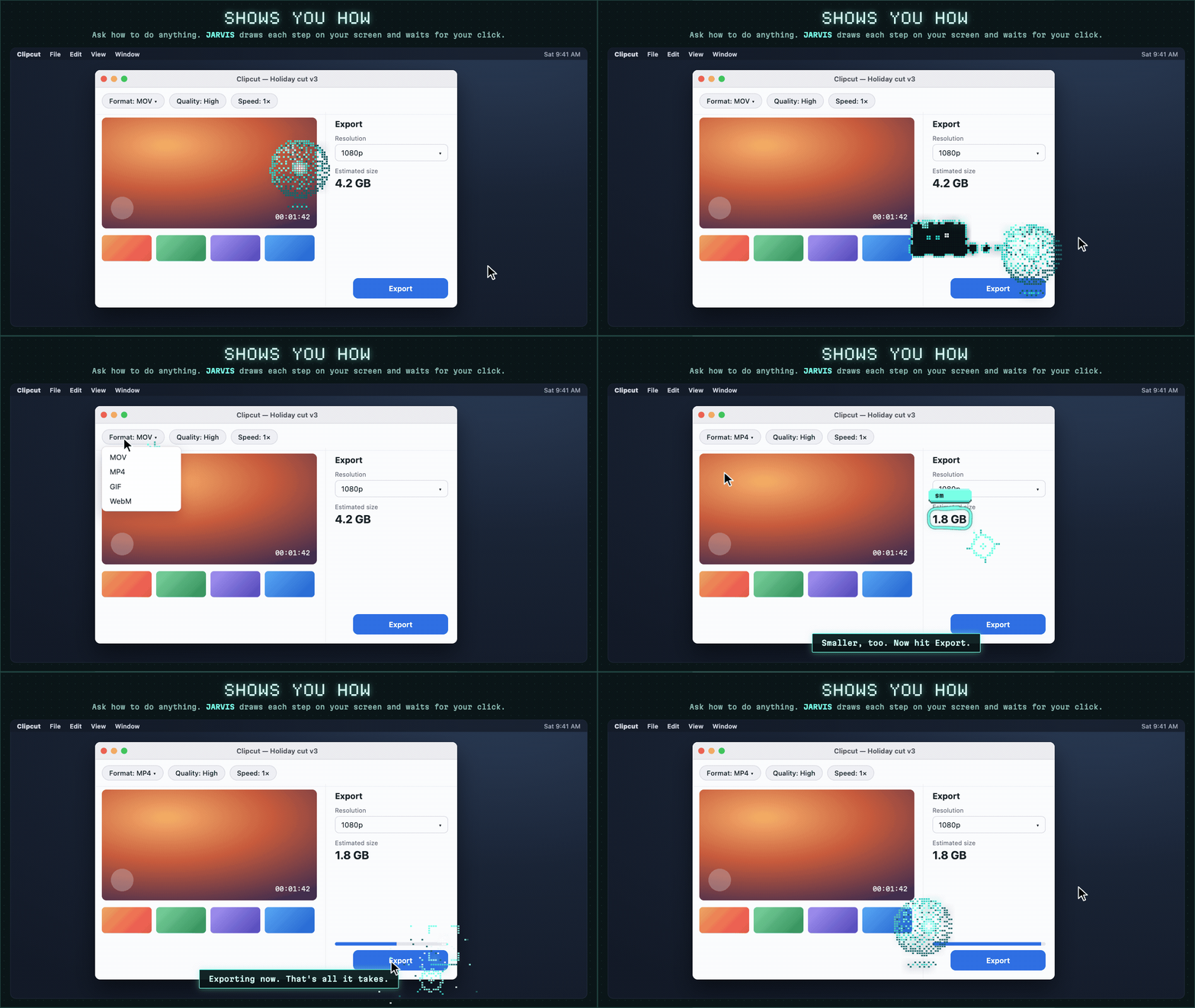
Jarvis can point out the control or place you need.
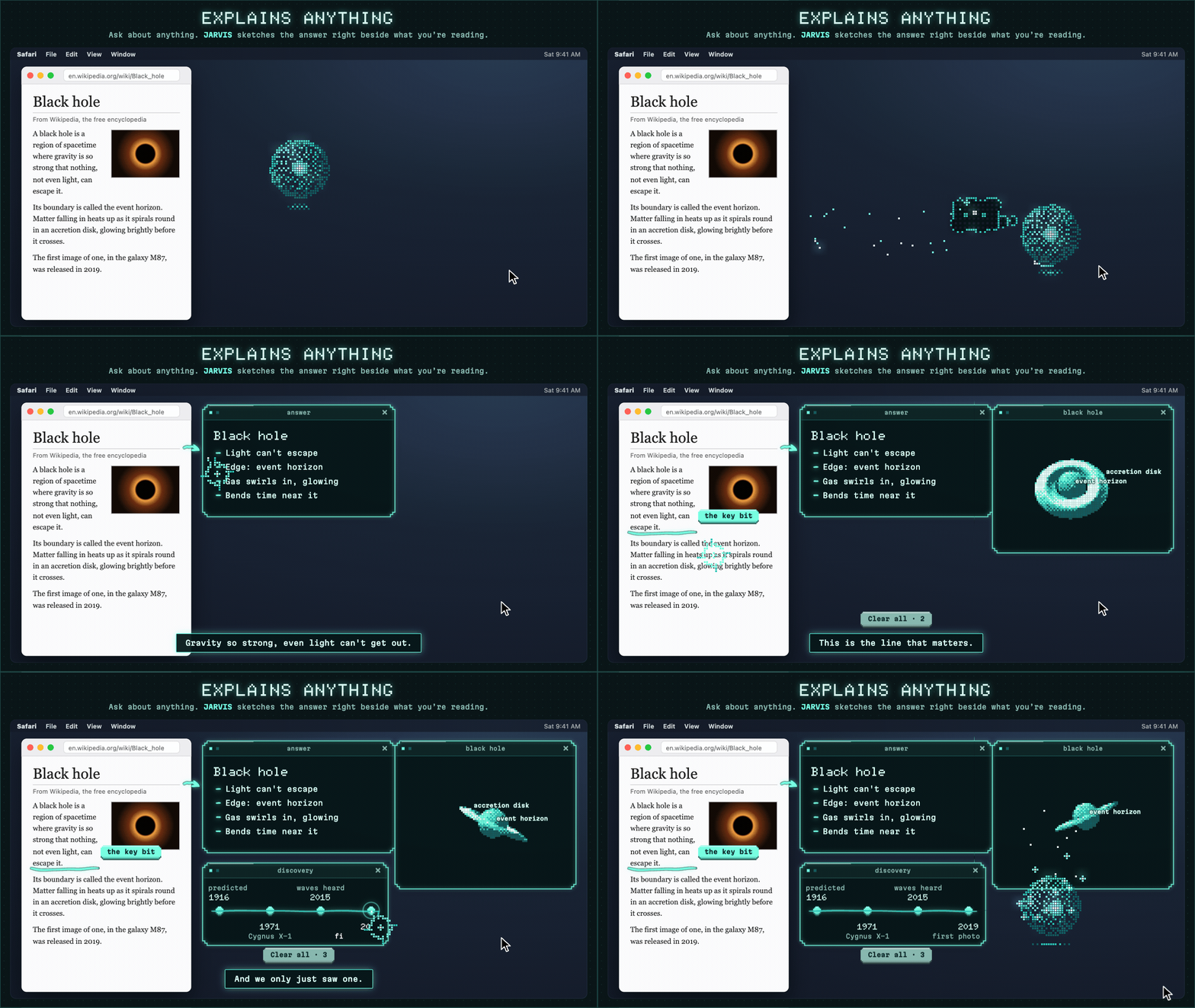
Visual answers can make an idea easier to follow.
The download links below update automatically when a published GitHub release contains the matching installer.
64-bit installer for Windows PCs.
Choose the installer for your Mac’s processor.
Pick the package format for your distribution.
No download showing? Open all releases. Linux packages are marked beta by the project’s build workflow. Review the privacy notice before connecting an AI provider.
Jarvis is a desktop app, not a browser-only assistant. Install it, connect a model, and choose what it can access.
Download the package for your operating system and follow its installer steps.
Sign in to a supported provider or configure a compatible local model. Usage may be billed by that provider.
Optionally choose a notes folder for its second brain, then review permissions before enabling desktop actions.